
Client reports Pro
Turn your results into a branded report you can send to a client. Every report covers all 55 WCAG 2.2 level A and AA success criteria. Go to Accessibility → Reports. Anyone with the See reports and check the site permission can create reports (editors and administrators by default).
Create a report
- Enter a Report title (default "Accessibility report") and the Client name (default: your site name).
- Optionally add a Note for the client. It's shown at the top of the summary, for example to say what was agreed or what happens next.
- Under Include, choose Findings for each page (on by default) and Tips (best-practice suggestions) (off by default).
- Click Create report. It's added to the Reports list below. Click its title to open it in a new tab.
Scan your content first, from Accessibility → Overview. Content that hasn't been checked is left out, and the Reports screen tells you how many items that is. Next to the form, Your branding previews what new reports will use.
Every report is saved exactly as created. Later scans, fixes or branding changes never change a report you've already sent, so you always have a record of what the client received.
What's in a report
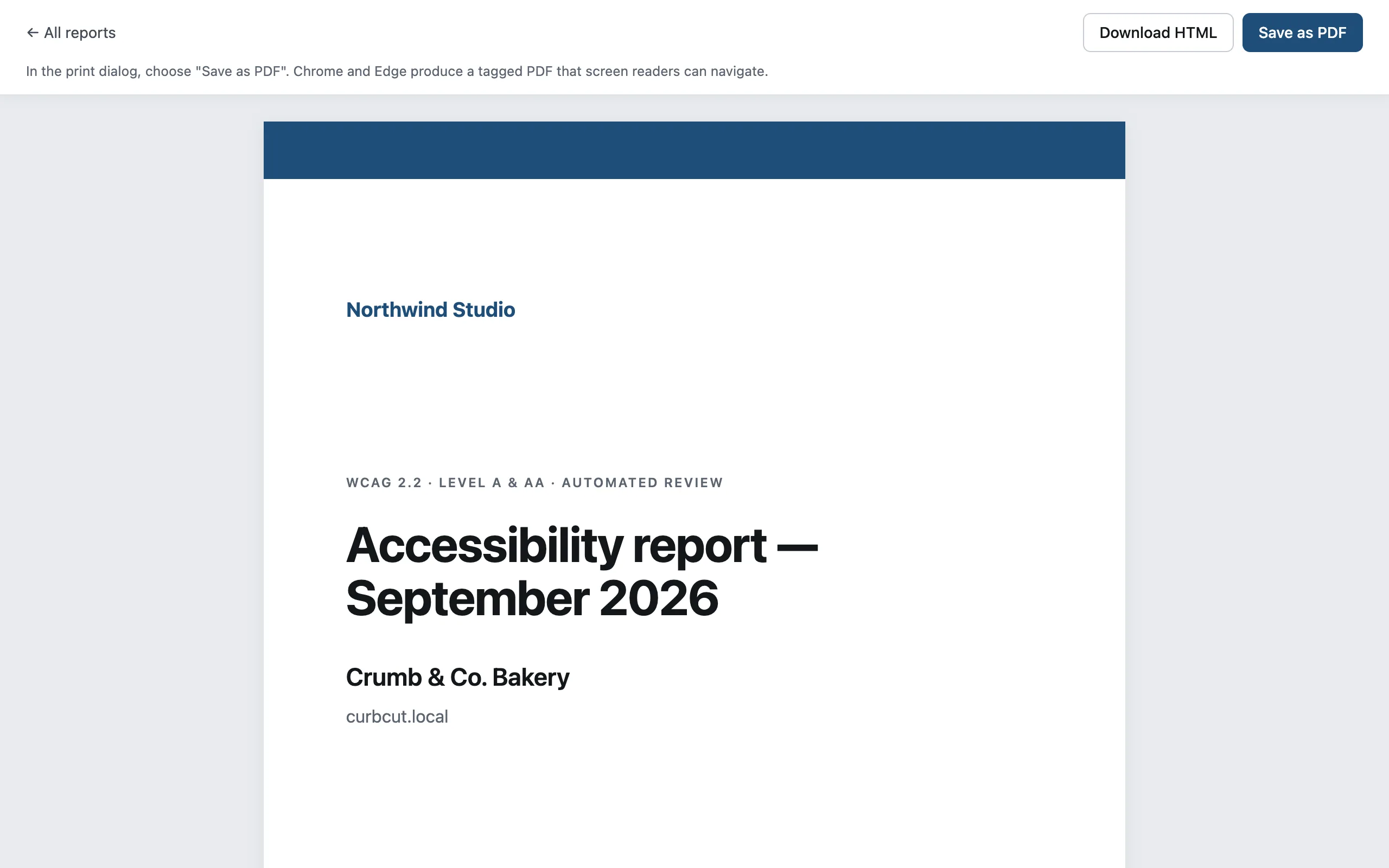
Cover: your logo or agency name, the report title, client, date, who prepared it and a contact.
Summary: your note, the average automated score, errors, items that need review and pages checked, and the change since the previous report.
WCAG 2.2 checklist: each of the 55 A and AA criteria with one of these statuses:
Status Meaning Issues found A check found errors Needs review Only items that need review were found No automated issues Lumtera checks this criterion and found nothing Manual check needed No automated check covers this criterion Issues and how to fix them, grouped by check.
Findings by page, for published pages (up to 300). Included when Findings for each page is on.
Live page checks, if you use page checks and Findings for each page is on. It shows each public page's desktop result, preferring the scheduled, logged-out check when there is one.
Recommended next steps.
The report states clearly that it's an automated review, not a statement of conformance. For a criterion-by-criterion conformance document, see the Accessibility Conformance Report, which appears below the reports list.
Save as PDF or HTML
Open the report and use the toolbar:
- Save as PDF opens your browser's print dialog. Choose "Save as PDF". Chrome and Edge produce a tagged PDF that screen readers can navigate, so your accessibility report is accessible too.
- Download HTML saves a single self-contained file, with your logo embedded if it's under 1 MB.
The reports list shows your latest 50 reports, with Download and Delete for each. Reports are private and are never indexed by search engines.
Branding
Set your branding once under Accessibility → Settings → Branding (administrators only). It's printed on the cover and every page footer. Reports already created keep the branding they were made with.
| Setting | Default |
|---|---|
| Logo | None |
| Agency name | Your site name |
| Website | Your site address |
| Contact email | The admin email |
| Accent color | #1f4e79 |
| Footer text | Empty (the agency name is used) |
| Hide the "Generated with Lumtera" credit (white-label) | Off. Freelancer plan and up. |
Text on the accent color switches between black and white automatically to stay readable, and the accent is darkened where needed to reach 4.5:1 contrast.
Branding is included in every plan, and is also used by the conformance report. White-label (hiding the credit) needs the Freelancer plan or higher. On lower plans the setting is replaced by a note saying which plan it needs. If a plan is downgraded, new reports show the credit again.
Export findings to CSV
On Accessibility → Content, Export CSV downloads every finding that matches the current filters, one row per issue. Columns: Post ID, Title, URL, Type, Status, Severity, Issue, WCAG, Level, Message, Markup.
The file is UTF-8 and opens cleanly in Excel, Numbers and Google Sheets. Cells that look like spreadsheet formulas are escaped, so they can't run.